
Tracking features and settings
What makes iTracker360 so great
Everything iTracker360 captures goes straight into your Keap contact records, so your lead source reporting finally makes sense.
Easy API sync process
iTracker360 collects tracking data and syncs this with your new leads using the API for simple setup.
Dynamic lead sources
Let iTracker360 identify and label your lead sources for you. Use Simple or Advanced Lead Sources.
Custom field tracking
Capture vital tracking data and store it in your contact records custom fields for easy viewing.
Tag based tracking
Easily assign tags that are dynamically created based on your UTM parameters. Use these tags for reporting or campaign automation.
Lead source consolidation
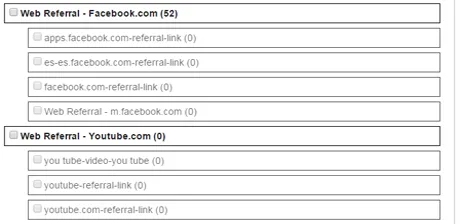
Create lead source groups to reassign the lead source for new and existing Keap contacts to clean up your lead source reporting.
Geo-IP tracking
Set the City, State, and Country of a contact using their IP Address. Our Ultimate Version uses a paid IP lookup service to get the most accurate and detailed data possible.
Simple setup
Follow our simple setup method or watch our getting started video to start tracking today.
Country tracking (EU)
Apply specific country tags or a European Union tag for each contact record based on their country. Handy for triggering automation based on specific countries.
Time zone tracking
Seamlessly capture the user's time zone using our Geo-IP feature. Don't worry, we won't overwrite a time zone if one is already set.
URL builder
Create custom URLs for each ad campaign and social link. Easily make unique links for every potential prospecting source.
Ultimate support
Get great support from the iTracker360 experts. All of our users have access to our Get Started Guide, Training Videos, and the iTracker360 Support Center.
URL shortener
A built-in serverless URL shortener for your long parameterized URLs, with basic click stats for each short URL for simple reporting.
Lead source organization
Have too many Lead Sources? Your ROI report doesn't make any sense? Clean up your lead sources and keep them clean using our lead source organization feature. This runs daily to automatically re-assign contacts to consolidated lead sources.
Premium URL builder with URL shortener
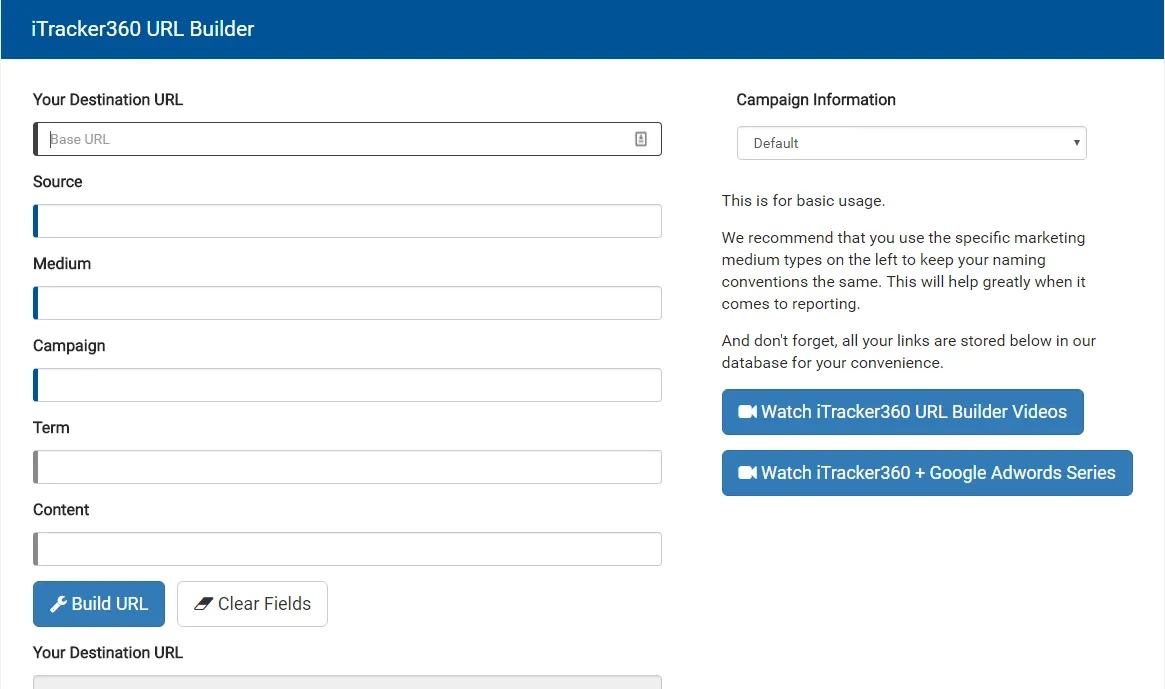
Build all of your custom URLs to identify which ad a contact converted on. Using Google Analytics too? Even better, because all of this information is stored directly inside Google Analytics too. Use our serverless URL shortener to get basic click stats for each link.
Geo-IP tracking
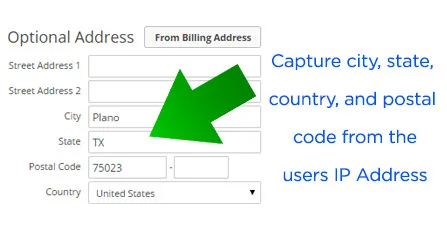
Set the City, State, Country, and Postal Code of a contact using their IP Address. Our Ultimate Version uses a paid IP lookup service to get the most accurate and detailed data possible.
Tag based tracking
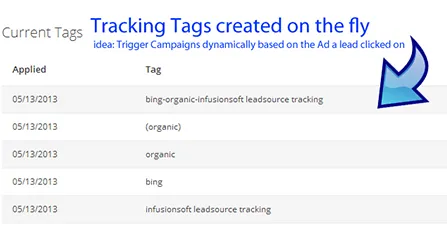
Assign tags with iTracker360 and they'll be saved to your Keap contacts. Combine up to three tags for each contact: one for the keyword, one for the source and one for the medium (organic or PPC). Use this to trigger campaign automation or search by tag for reporting.
Get started with iTracker360
Choose between our Free Version or Ultimate Version. No contract, cancel anytime.